Do you experience problems during downloading?
Check your connection in Status and Interface settings window.
Use Test Server in Config > Servers.
We will probably ask you to do a test using only basic settings.
Do you experience problems during repair or unpacking?
Enable +Debug logging in the Status and Interface settings window and share the relevant parts of the log here using [ code ] sections.
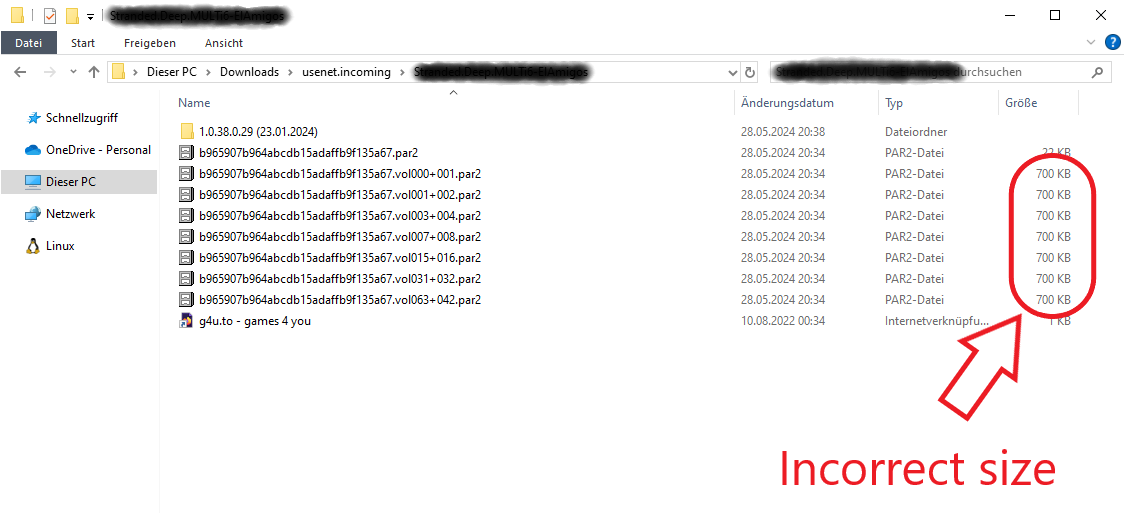
I did use the switch "Download all par2 files" (Switches / Post processing) recently. I switched it off again but all the PAR2 files are still being downloaded. Well, at least partially, most of them have the strange (and incorrect) size of 700kB:
I couldn't find another bug report like this. I am using version 4.3.1 [41de133] on Windows 10 Pro 22H2 Build 19045.4412. I tried to reinstall SABNzbd already, but that didn't change anything.
Can do that, but that might kill all chances to get more information about the bug in case you need it. I am perfectly fine to live with the bug for a while in case you should need some logs or whatever...
ScareYa wrote: ↑May 28th, 2024, 2:39 pm
Can do that, but that might kill all chances to get more information about the bug in case you need it. I am perfectly fine to live with the bug for a while in case you should need some logs or whatever...
Instead of deleting sabnzbd.ini, you can rename it to sabnzbd_notgood.ini.
Then follow the procudure. If it's working, do a diff on sabnzbd.ini and sabnzbd_notgood.ini
It's working now. My problem is solved. Thank you very much.
But in case you need more information from me I would be glad to provide it...
Maybe you're interested in the "faulty" sabnzbd.ini (without the access data of my usenet provider ofc)?
I might have found the culprit: In the "faulty" sabnzbd.ini the is a flag "enable_par_cleanup = 0" which is set to 1 in the working ini. I have no idea how that came to be...