Page 1 of 1
New version on SynoCommunity not available in DS?
Posted: November 2nd, 2020, 3:59 am
by iUseNetter
I see that there is a new SABnzbd version v3.1.0-45 on
https://synocommunity.com/package/sabnzbd
But in my DS412 there is still v3.0.2.43 running, no update seems to be available.
What can I do to "refresh" the available packages and get the newest SABnzbd from SynoCommunity?
Re: New version on SynoCommunity not available in DS?
Posted: November 2nd, 2020, 5:54 am
by safihre
You can ask this at:
https://github.com/SynoCommunity/spksrc/issues
I updated the package, they are in charge of the rollout

Re: New version on SynoCommunity not available in DS?
Posted: November 2nd, 2020, 6:37 am
by iUseNetter
Thank you for the hint, @safihre!
Before starting to add an issue I just opened the package manager again some seconds ago: And - of course - the new SABnzbd package is now announced as available.
Must be some kind of magic


Re: New version on SynoCommunity not available in DS?
Posted: November 2nd, 2020, 7:10 am
by safihre
There was a patch performed this morning.
Re: New version on SynoCommunity not available in DS?
Posted: November 2nd, 2020, 8:03 am
by iUseNetter
Unfortunately, I can't start the new downloaded and installed package v3.0.1.-44 at all, I only get a "failed to run the package service".
If I try to manually start the
Code: Select all
:/var/packages/sabnzbd/scripts$ start-stop-status
on a PuTTY-SSH, I get the error:
Code: Select all
./service-setup: line 6: [: : integer expression expected
What can I do?
Do I have to wait for the availability of v3.0.1-4
5?
Re: New version on SynoCommunity not available in DS?
Posted: November 2nd, 2020, 8:06 am
by safihre
Which version is the package?
Re: New version on SynoCommunity not available in DS?
Posted: November 2nd, 2020, 8:07 am
by iUseNetter
The package manager shows v3.1.0-44.
SynoCommunity shows v3.1.0-45
Maybe related:
https://github.com/SynoCommunity/spksrc/issues/4251
Re: New version on SynoCommunity not available in DS?
Posted: November 2nd, 2020, 8:40 am
by iUseNetter
Thanks to this page:
https://github.com/SynoCommunity/spksrc ... logy-model
I found the matching package version on the SynoCommunity website:
https://synocommunity.com/package/sabnzbd#
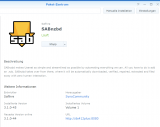
where I clicked on the architecture tag, downloaded the v3.1.0-45 package manually and also manually browsed and loaded from my DSM GUI.
Beside the fact, that the permission thing for the
/downloads, the
/complete and
/incomplete folders still doesn't work automatically, I got it running now.
Re: New version on SynoCommunity not available in DS?
Posted: November 3rd, 2020, 7:08 am
by Mandarin
Apologies, just read the previous post that game me the link to the architecture page. I really must learn to read posts more carefully!
Sorry for being a total noob but how do I identify the architecture version I should download from Synocommunity? I have a DS916+
I installed SABnzbd version 3.1.0-44 in my DS916+ however I get the dreaded "failed to run the package service". Hoping I can download and install version 3.1.0-45 which is available at Synocommunity.
Thanks
Re: New version on SynoCommunity not available in DS?
Posted: November 3rd, 2020, 7:38 am
by iUseNetter
You search on the mentioned page for your "DS916+" and will find the additional information:
synology_braswell_916+
and as section title
"braswell (x64)"
Whit this information "braswell" you can search for the tag "6.1 braswell" on the SynoCommunity website for your SABnzbd and click on it. This will download the matching file
sabnzbd.v45.f15047[apollolake-avoton-braswell-broadwell-broadwellnk-bromolow-cedarview-denverton-dockerx64-geminilake-grantley-purley-kvmx64-v1000-x86-x86_64].spk
to your PC.
Inside your DSM you can then browse for this *.spk file and install it manually.
BTW: Currently, my Package Manager shows v3.1.0-45 as newest available package. So it should be NOT necessary to install it manually with the steps above.