Page 1 of 2
Duplicate files and rar archives that do not delete (ver 3.0.2)
Posted: September 20th, 2020, 2:42 am
by Hiei
Hello,
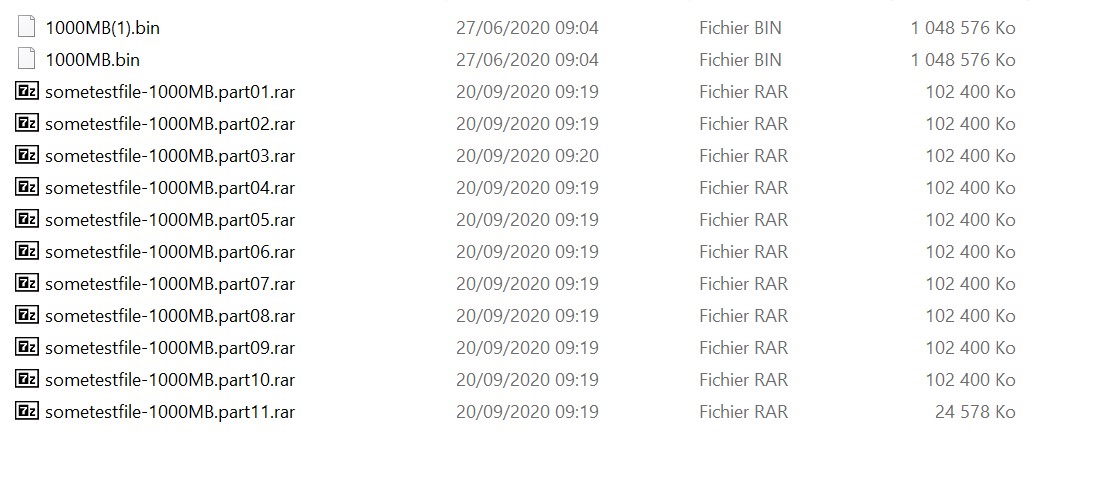
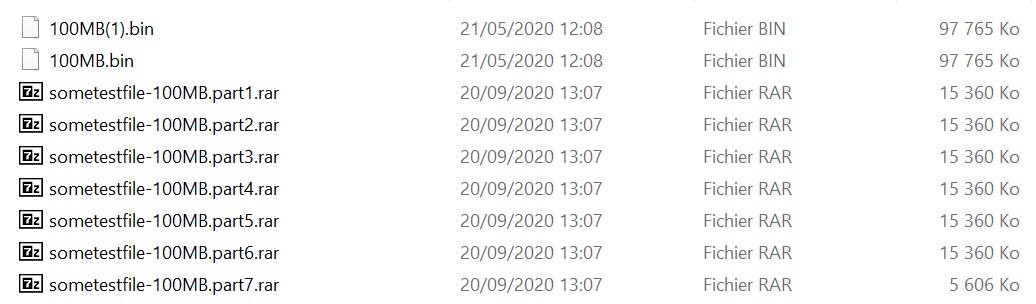
I ask you and having done a lot of research to see even a clean reinstall but I still can not understand why when downloading an archive and following the automatic decompression during a download from an NZB, I have the file extracted in 2 times, something I had never had before ...
Same problem for the rar files which also remain present whereas before the rar files were automatically deleted after the automatic decompression.
Do you know why ?
Sabnzb options and config are by default ...
Thank you very much in advance for your help please.
Re: Duplicate files and rar archives that do not delete (ver 3.0.2)
Posted: September 20th, 2020, 3:17 am
by sander
Bonjour!
My guess:
You did a test download 09:04 which went OK. Then you did another test download at 09:04, which went OK too. But, it landed it the same directory, which is NOT the default setting for SABnzbd.
Then you did another test download at 09:19, which was not unrarred, so I think you specified "Download only" in the test download.
So ... what you show is NOT default behaviour of SABnzbd. Best to go back to SAB's default setup.
Re: Duplicate files and rar archives that do not delete (ver 3.0.2)
Posted: September 20th, 2020, 4:26 am
by Hiei
sander wrote: ↑September 20th, 2020, 3:17 am
Bonjour!
My guess:
You did a test download 09:04 which went OK. Then you did another test download at 09:04, which went OK too. But, it landed it the same directory, which is NOT the default setting for SABnzbd.
Then you did another test download at 09:19, which was not unrarred, so I think you specified "Download only" in the test download.
So ... what you show is NOT default behaviour of SABnzbd. Best to go back to SAB's default setup.
Hello @Sanders and thank you for your reply at first.
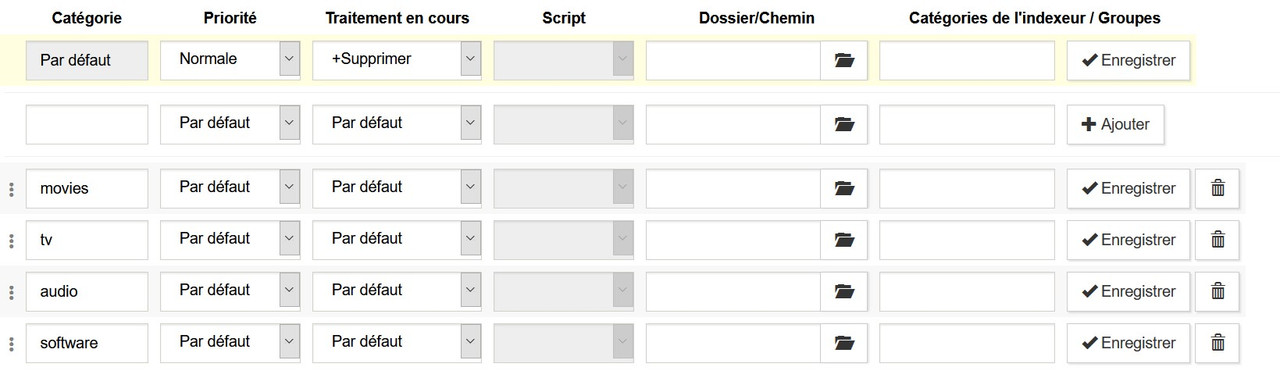
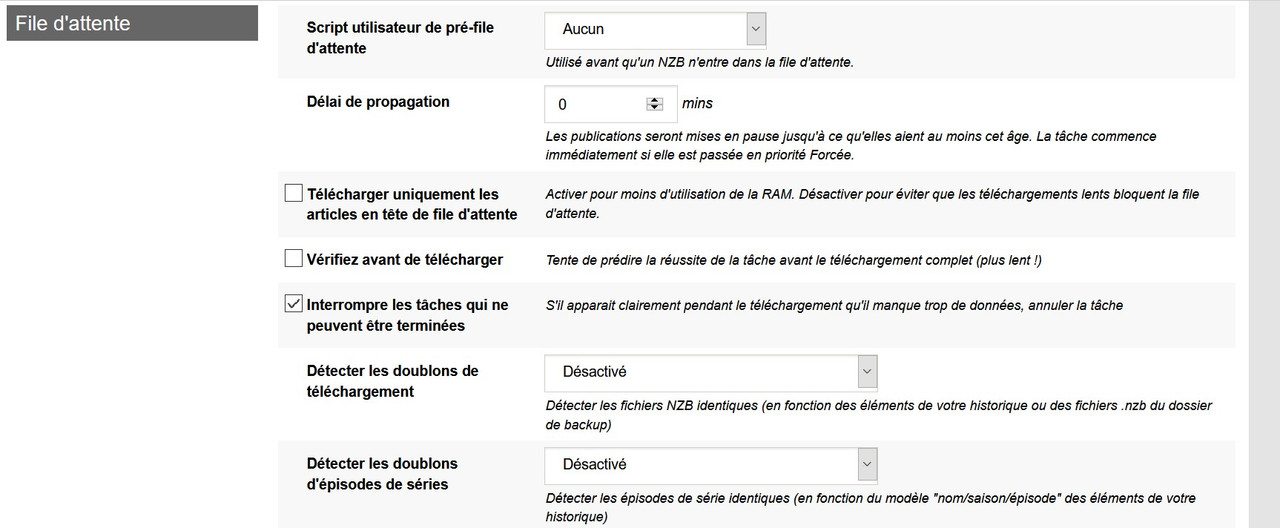
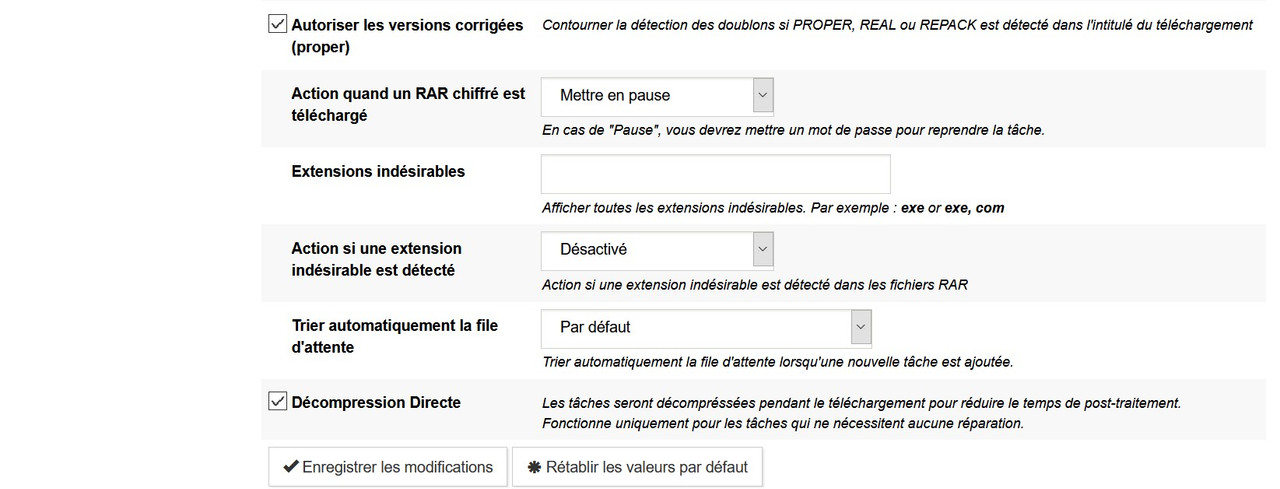
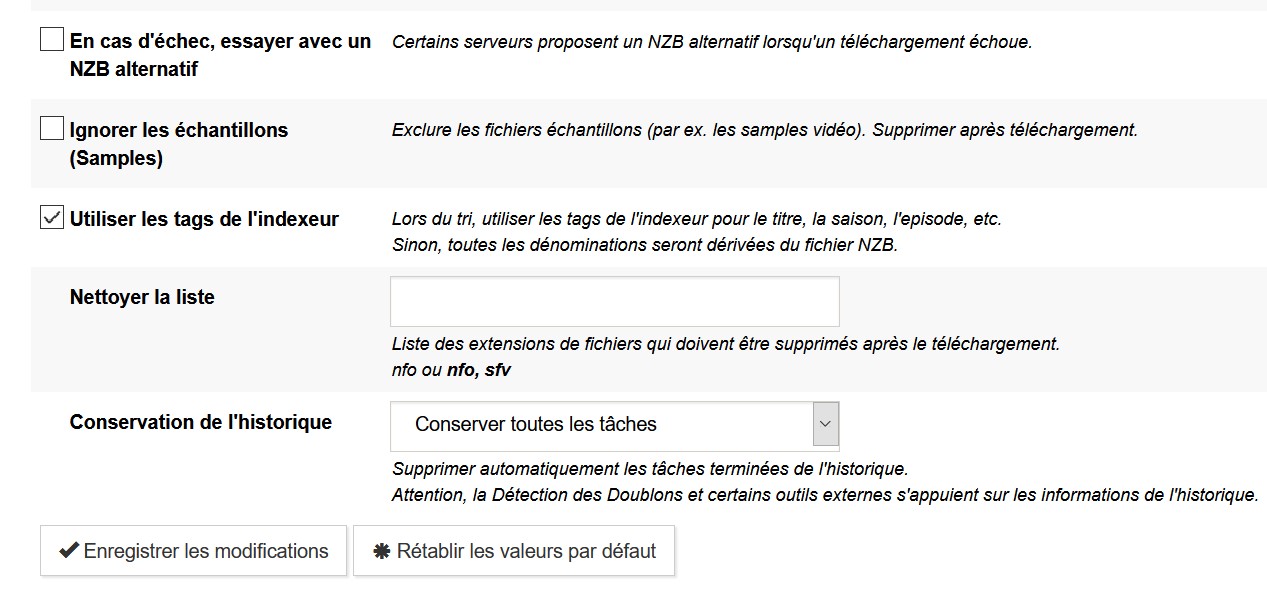
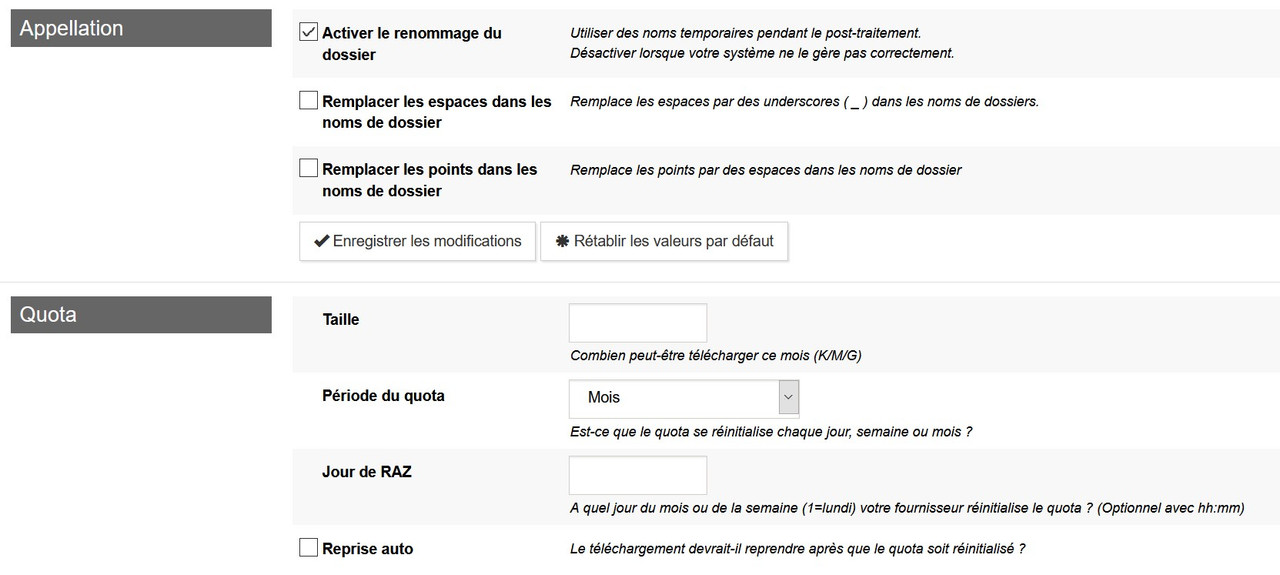
Precisely, all the settings are default and I even redid a clean installation and unfortunately I have the same problem.
Besides the rar files do not delete after compression ...

Re: Duplicate files and rar archives that do not delete (ver 3.0.2)
Posted: September 20th, 2020, 5:19 am
by sander
To really go to default, do this:
Stop SABnzbd.
Make sure SABnzbd is not running anymore by going to
http://127.0.0.1:8080/sabnzbd ... it should an error
Then find and remove sanbzbd.ini
Start SABnzbd again. Fill out the wizard only for you newsserver
Do three test downloads of 100MB ... they appear each in their own directory
Re: Duplicate files and rar archives that do not delete (ver 3.0.2)
Posted: September 20th, 2020, 6:24 am
by Hiei
sander wrote: ↑September 20th, 2020, 5:19 am
To really go to default, do this:
Stop SABnzbd.
Make sure SABnzbd is not running anymore by going to
http://127.0.0.1:8080/sabnzbd ... it should an error
Then find and remove sanbzbd.ini
Start SABnzbd again. Fill out the wizard only for you newsserver
Do three test downloads of 100MB ... they appear each in their own directory
Thank your for your new reply @Sander
Thanks for this help.
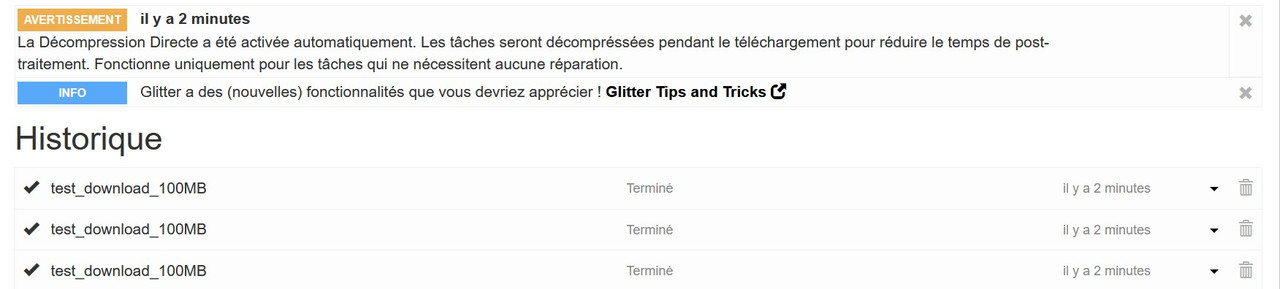
I followed the steps well and unfortunately still this same problem look ...


Re: Duplicate files and rar archives that do not delete (ver 3.0.2)
Posted: September 20th, 2020, 8:41 am
by safihre
Very strange.
Could you enable Debug logging in the Status window and then after it happens again send me the log at
Safihre@sabnzbd.org?
Re: Duplicate files and rar archives that do not delete (ver 3.0.2)
Posted: September 20th, 2020, 9:20 am
by Hiei
safihre wrote: ↑September 20th, 2020, 8:41 am
Very strange.
Could you enable Debug logging in the Status window and then after it happens again send me the log at
Safihre@sabnzbd.org?
Hello check your private message please x2
Thank you in advance.
Re: Duplicate files and rar archives that do not delete (ver 3.0.2)
Posted: September 21st, 2020, 1:41 pm
by safihre
It seems the problem is the special chars in the download-path:
Code: Select all
\\\\?\\D:\\Xxxx\\Téléchargements\\Sabnzb\\Temporaires\\test_download_100MB\\sometestfile-100MB.part1.rar
Code: Select all
Deleting file D:\Xxxx\T‚l‚chargements\Sabnzb\Temporaires\test_download_100MB\sometestfile-100MB.part5.rar
I will inspect what to do about this.
Re: Duplicate files and rar archives that do not delete (ver 3.0.2)
Posted: September 21st, 2020, 3:12 pm
by safihre
Found the problem, will be fixed for 3.1.0!
Re: Duplicate files and rar archives that do not delete (ver 3.0.2)
Posted: September 21st, 2020, 7:00 pm
by Hiei
safihre wrote: ↑September 21st, 2020, 3:12 pm
Found the problem, will be fixed for 3.1.0!
Oh really ?
Re: Duplicate files and rar archives that do not delete (ver 3.0.2)
Posted: September 21st, 2020, 8:57 pm
by flyfoam
I reported something similar to this yesterday. I cannot delete folders created by SABNZB and I have the duplicated file problem too. Is this the same issue?
Here is my post location:
viewtopic.php?f=2&t=24976&sid=fc961c36f ... f6befa08e9
Re: Duplicate files and rar archives that do not delete (ver 3.0.2)
Posted: September 22nd, 2020, 1:10 am
by safihre
I created a test-build that you can try here that should fix your problems:
https://github.com/sabnzbd/sabbuild/rel ... um-build-1
Re: Duplicate files and rar archives that do not delete (ver 3.0.2)
Posted: September 22nd, 2020, 7:41 am
by Hiei
Oh very thanks for your help.
I test this version asap.
Have a nice day.
Re: Duplicate files and rar archives that do not delete (ver 3.0.2)
Posted: September 22nd, 2020, 2:28 pm
by Hiei
Windows block this app... no virus ?
Re: Duplicate files and rar archives that do not delete (ver 3.0.2)
Posted: September 22nd, 2020, 3:44 pm
by safihre
It shows a warning because not many people have used this file. It is safe and you can just continue
